
In This Guide:
- Why Your Cell Phone Clips Are Killing Your Career
- How to Choose: The 5 Things That Actually Matter
- Your Phone vs. a Real Camera — The Honest Truth
- Best Budget Cameras for Stand-Up Comedy ($500–$1,500)
- Best Mid-Range Cameras for Stand-Up Comedy ($1,500–$3,000)
- Best Pro Cameras for Filming a Comedy Special ($3,000+)
- The Master Comparison Table
- Best Lenses for Filming Stand-Up Comedy
- Audio: The Thing Nobody Tells You About
- Multi-Camera Setups: From Open Mic Clips to Your Special
- Editing in 2026: CapCut, DaVinci Resolve, and What You Actually Need
- Camera Settings Cheat Sheet for Comedy Clubs
- Conclusion
- FAQ
Your Cell Phone Clips on Instagram Are Killing Your Comedy Career.
I’ll say it louder for the people in the back: your cell phone clips on Instagram are killing your comedy career.
Stand-up comedy thrives on timing, delivery, and the ability to connect with an audience. In today’s digital era, capturing those moments with precision and clarity is what separates the comics who are getting booked from the comics who are complaining about not getting booked.
For Instagram you want to crop the right and left side of your footage so it looks good in vertical video. For YouTube you want that clean wide shot. The hard part is keeping the comic in frame the whole time while making the image look like it belongs on a Netflix special and not a security camera.
Nothing is worse than capturing that perfectly timed joke with the ideal audience reaction (applause break anyone?) only to see the shot was blurry, grainy, or out of focus.
The problem today is that most comedians record random cell phone clips and post them right away. They’re seeking that immediate dopamine release of a few pats on the back rather than trying to get a quality clip for the public out there.
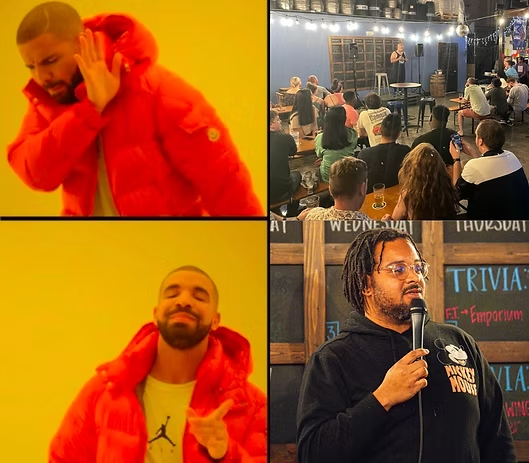
What they don’t realize is that this is the quickest way for the social media algorithms to limit your reach, which will discourage you from posting again.
Ask yourself: when was the last time you stopped rapid scrolling on Instagram and watched a grainy cell phone video of a comic you’ve never heard of doing a 7-minute set on Reels?
Go ahead. I’ll wait.
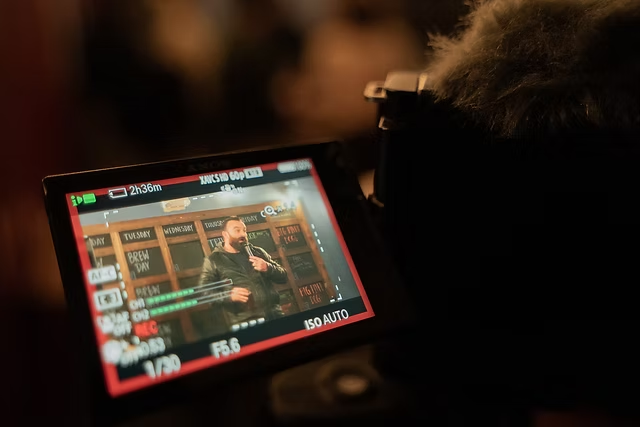
If you were a singer trying to grab ears, would you share songs you recorded on your cell phone with a producer? Or would you at the very least invest in a $100 microphone for your bedroom studio if you want to be serious about it?
Comedy is the same way. You need to be zoomed in tight, capturing facial expressions and nuances of the comedian to appreciate the show. And you need audio that makes the audience at home feel like they’re in the room.
I’ve been filming comedy shows for years from my own sets and other comics’ sets. I shoot on Sony and Canon systems, I’ve edited hundreds of clips, and I’ve watched first-hand how a single well-filmed 60-second clip can do more for a comedian’s career than five years of open mics.
Comics like Mark Normand, Shane Gillis, and many others are recording and releasing their own specials for exactly this reason.
Who is this post for? If you’re a comedian who knows you need to start filming your sets but you’re overwhelmed by camera options, or if you bought a camera two years ago and you’re wondering if it’s time to upgrade, or if you’re planning to film your first real special then this guide is for you. I’m going to walk you through exactly what to buy at every budget level, plus the audio, lenses, editing, and settings that nobody else tells you about.
Last updated: February 2026. Every camera in this guide is a current model you can buy new today.
How to Choose the Right Camera: The 5 Things That Actually Matter for Stand-Up Comedy
Before I throw camera names at you, let me save you the headache of reading spec sheets that mean nothing to a comedian. Here are the five things that actually matter when you’re filming in comedy clubs.
1. Low-Light Performance
This is the big one. Comedy clubs are dark. Like, really dark.
You’ve got a spotlight on the comic and pitch black everywhere else. Your phone camera sees that spotlight and panics because it either blows out the comedian’s face into a white blob or it tries to brighten the whole room and everything turns into a grainy mess.
Cameras with larger sensors (full-frame or APS-C) and wider aperture lenses handle this dramatically better. I’ve taken photos where the audience was pitch black to my eyes, and the camera pulled out detail I couldn’t even see in person. That’s the difference a real sensor makes.
2. Autofocus That Actually Works
Comedians move. They pace. They lean into the mic. They walk to the edge of the stage. If your camera can’t track a human face in low light and keep it sharp, you’re going to get a lot of footage where the mic stand is in perfect focus and the comedian is a blur. Modern cameras with AI-powered face and eye detection autofocus are game-changers for this. You set it and forget it.
3. 4K Video (and Recording Time Limits)
4K is the standard now. Period. It gives you sharp footage that you can crop into vertical for Instagram or keep wide for YouTube without losing quality. But here’s the thing nobody mentions: some cameras have recording time limits. If you’re filming a 45-minute set and your camera cuts off at 30 minutes, you’ve got a problem. Every camera I recommend below can record continuously for at least an hour.
4. Audio Inputs
I’m going to have a whole section on audio below because it’s that important. But at the camera level, you want at minimum a 3.5mm microphone jack so you can plug in an external mic. The built-in microphone on any camera is garbage for stand-up. If a camera doesn’t have a mic input, skip it. Some higher-end models have full-size HDMI out for external recording and even XLR support with adapters.
You might be asking yourself why a $2000 camera has terrible audio. The same reason pickup trucks have terrible backseats. They know the core market is going to do something different with the audio and they’ll never been enough, so why bother. In fact I’d argue record on your fancy camera, with your hpone as backup, and the phone camera audio will be a lot better if you want is a backup later.
5. Size and Portability
You’re a comedian, not a film crew. You’re probably setting this up yourself before your set, in a corner of a bar where the bartender is already annoyed you’re taking up space. The camera needs to be small enough to throw in a bag, quick to set up on a tripod, and not look like you’re filming a Hollywood movie in someone’s open mic night. The lens also has to zoom in hard enough at low light to be usable from a distance.
Your Phone vs. a Real Camera — The Honest Truth
I get asked this constantly: “Can’t I just use my iPhone? The new ones shoot 4K.”
Here’s my honest answer: your phone is fine for archival and recording your sets so you can review them on the drive home. That’s a legitimate and important use. You should be recording every single set, even if it’s on a phone propped up on a stool.
But there is a massive difference between “recording for yourself” and “recording for an audience.”
Here’s where phones fall apart for stand-up comedy specifically:
Low light. Even the iPhone 16 Pro with its “amazing night mode” struggles in a dimly lit comedy club from 15-30 feet away. The small sensor physically cannot gather enough light. Your footage will be noisy, smeary, and the comedian’s face will look like a watercolor painting when you zoom in.
No optical zoom. You can digitally zoom on a phone, but that’s just cropping and enlarging and you’re throwing away resolution. A camera with a 70-200mm lens lets you get a tight, sharp close-up of the comedian’s face from the back of the room. A phone from the same distance gives you a pixelated mess.
No external audio input. Most phones don’t let you plug in a professional microphone, which means you’re stuck with whatever the phone’s mic picks up including the guy next to you coughing and the bartender blending margaritas.
Audio sync. When you record separately on a phone, syncing audio and video in post-production adds unnecessary steps and headaches that a proper camera setup eliminates.
Think of it like this: a phone is a pocket knife. A mirrorless camera with a good lens is a chef’s knife. Both can cut, but only one belongs in a professional kitchen.
If you’re just starting out and you have literally zero budget, use your phone. A phone clip is infinitely better than no clip. But the moment you’re serious about growing your career through video and after reading our guide on how to grow your comedy career you know video is essential, invest in a real camera. You’ll be shocked at the difference in your first recording.
Best Budget Cameras for Stand-Up Comedy ($500–$1,500)
These are for comics who are ready to stop using their phone but aren’t trying to spend rent money. Every camera in this tier will produce footage that looks dramatically more professional than any phone clip and is good enough to get that first 100K view reel.
1. Canon EOS R50 V (~$680 body only)
Canon released the R50 V in early 2025 and it’s specifically designed for content creators on a budget. At around $680 for just the body, it’s the cheapest real mirrorless camera I’d recommend for comedy.
It shoots 4K video, has Canon’s Dual Pixel CMOS AF II autofocus (which tracks faces reliably), a fully articulating touchscreen so you can see yourself if you’re setting it up solo, and it’s tiny — genuinely fits in a jacket pocket without the lens.
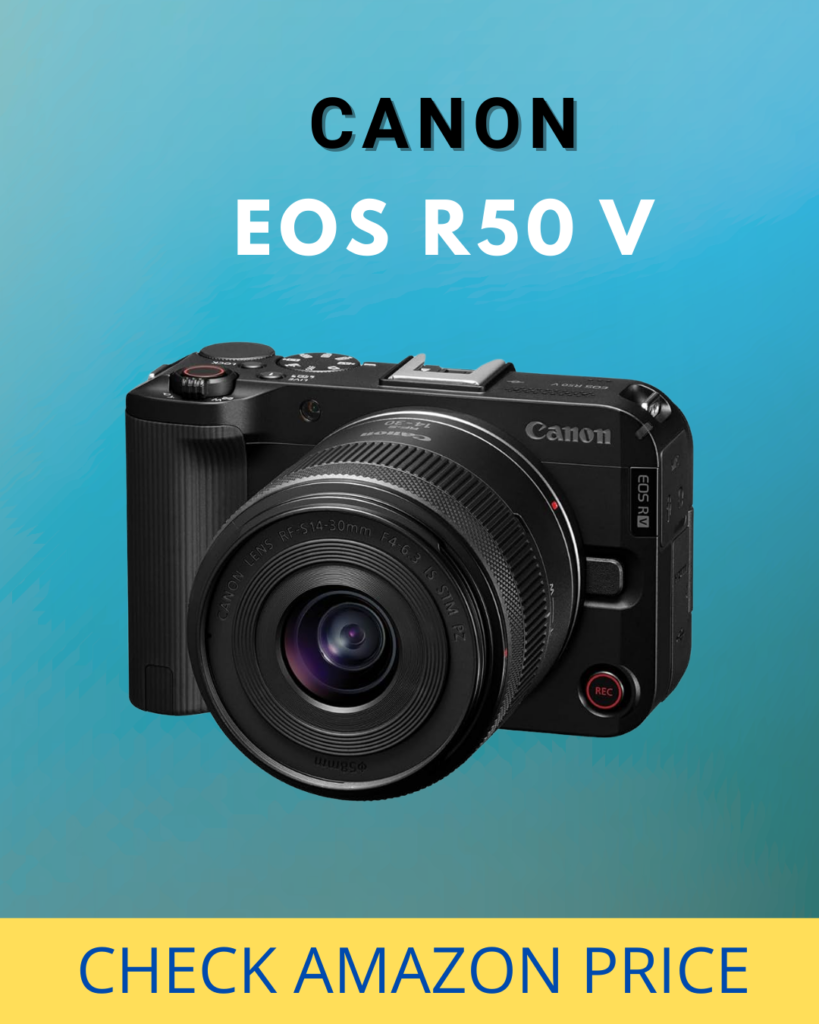
The trade-offs? It’s an APS-C sensor (smaller than full-frame, so low-light isn’t as strong), the battery life is mediocre (about 390 shots — bring a spare), and there’s no in-body image stabilization. But for $680, you’re getting a camera that will make your clips look 10x better than any phone.
Good for: Comics who’ve been using their phone and are ready for their first real camera. The price makes it low-risk. If you decide comedy isn’t for you, this camera also makes a great gift for a family member who’s into photography.
2. Sony a6700 (~$1,400 body only)
If the Canon R50 V is the Honda Civic, the Sony a6700 is the Accord. It’s the best APS-C camera on the market right now and it’s not particularly close.
The a6700 shoots 4K up to 120fps (hello, slow-motion crowd reaction shots), has Sony’s AI-powered autofocus that tracks faces and eyes like a heat-seeking missile, 5-axis in-body image stabilization (huge for handheld or shaky tripods in crowded bars), and it supports S-Log3 for those of you who want to color grade your footage later.
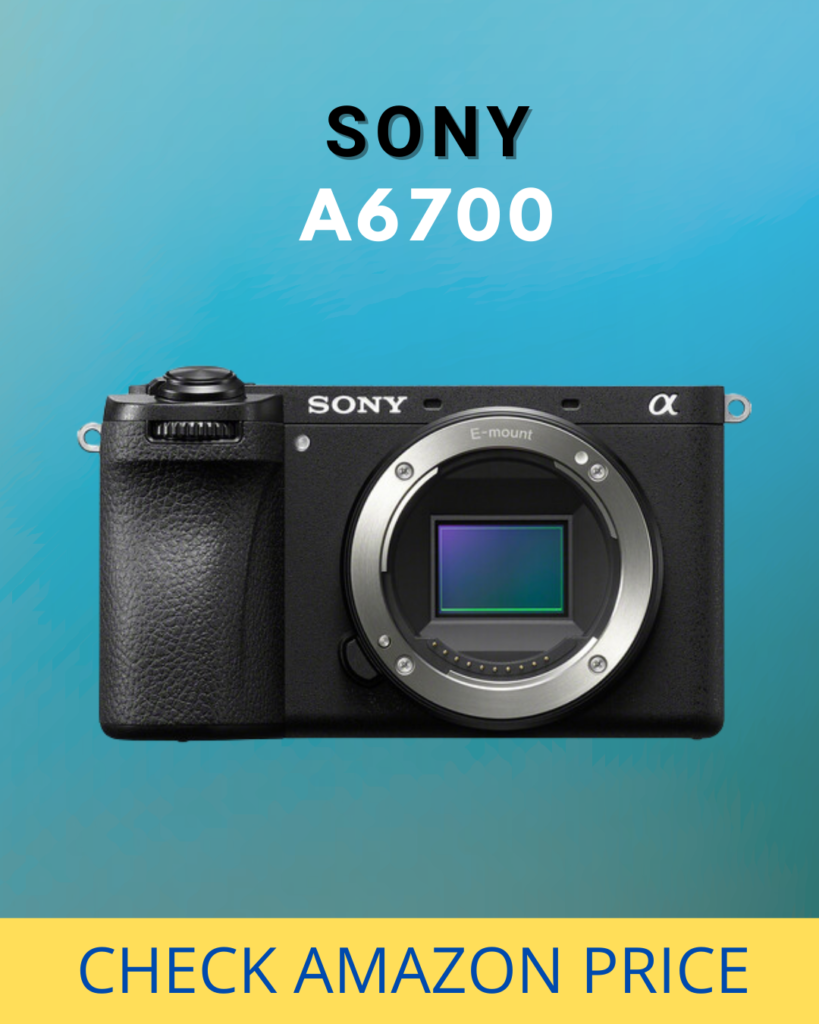
This camera replaced the older Sony a6400 and a6600 that were on my previous version of this list. The a6700 is better in every single way — especially in low light, where it pulls detail out of dark comedy clubs that the older models couldn’t touch.
At $1,400 it’s a real investment, but this camera will last you years and it can do everything from weekly social media clips to filming a legitimate set for your EPK.
Good for: The serious comic who wants one camera that does everything well and won’t need to upgrade for 3-5 years. This is probably the best bang-for-your-buck camera on this entire list.
3. Sony FX30 (~$1,800 body only)
The FX30 is part of Sony’s Cinema Line — meaning it’s built from the ground up for filmmakers, not photographers who also shoot video. It shares the same body design and sensor class as the a6700 but with cinema-specific features.
What does “cinema-specific” mean for you? S-Cinetone color science (the same color profile used on Sony cameras that shoot actual movies and TV shows), 14+ stops of dynamic range (meaning it handles the bright spotlight AND the dark audience in the same frame much better), multiple 1/4″-20 thread mounts built into the body for rigging accessories, and full-size HDMI output.
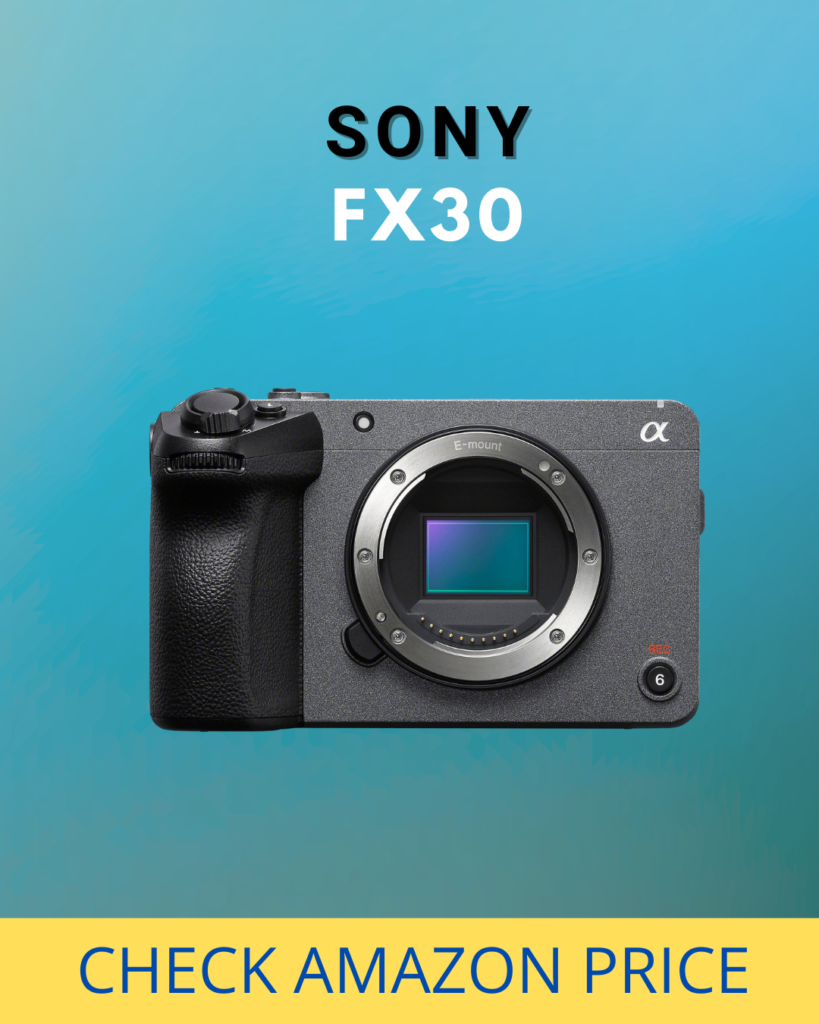
Sony dropped the price to $1,800 in 2025, which makes it insanely competitive. If you know you’re primarily buying a camera for video and not photography, the FX30 gives you a more cinematic look out of the box than the a6700.
Good for: Comics who know they want cinematic-quality footage and don’t care about still photography. If you’re planning to film a self-produced special in the next year or two and you’re on a budget, this might be the one.
Best Mid-Range Cameras for Stand-Up Comedy ($1,500–$3,000)
This is where you step into full-frame territory. Full-frame sensors are physically larger, which means they gather more light, produce less noise in dark environments, and create that cinematic shallow depth-of-field look (blurry background, sharp subject) that makes professional comedy clips pop.
4. Nikon Z5 II (~$1,700 body only)
I’ll be honest — Nikon wasn’t on my radar for comedy filming until the Z5 II dropped in April 2025. This camera is ridiculous value for money. It’s a full-frame mirrorless camera for under $1,700 and reviewers across the board are calling it the best bang-for-your-buck camera of the year.
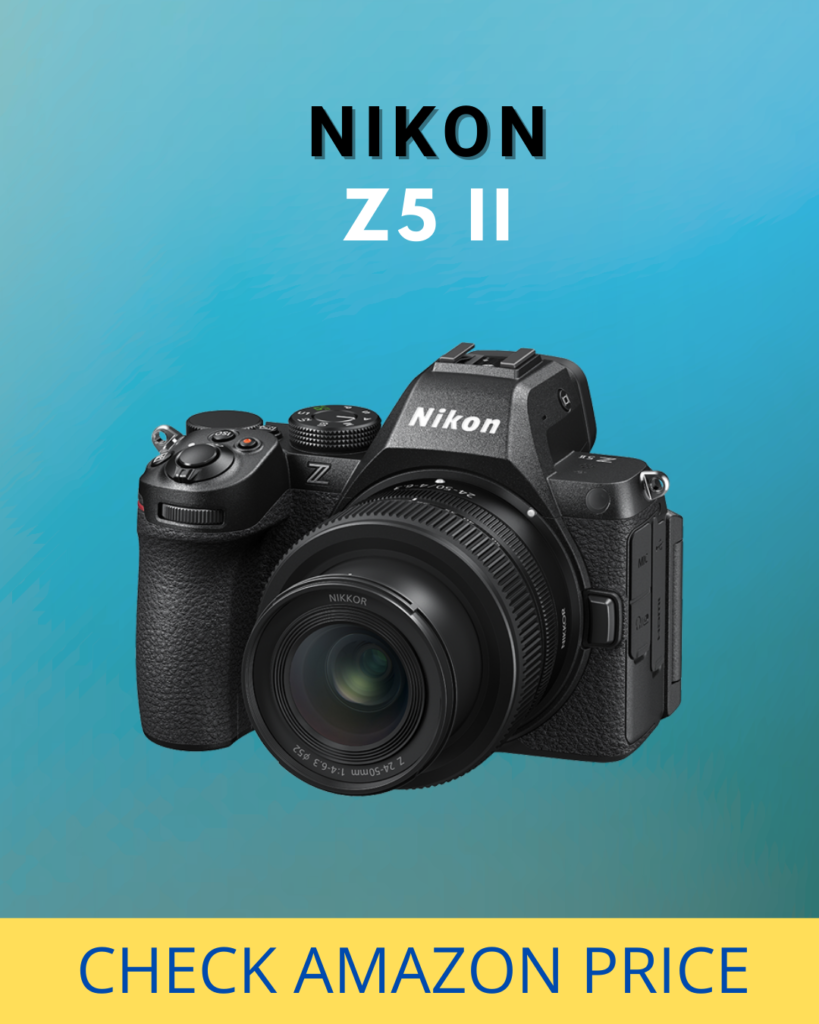
It shoots 4K at 60fps, has 7.5 stops of in-body stabilization, dual card slots (so you have a backup if one card fails mid-set), and even supports Nikon’s N-RAW recording for those who want maximum quality. The autofocus uses subject detection that handles faces well, and the low-light performance is excellent for the price.
The catch? Nikon’s lens ecosystem for mirrorless is smaller than Canon or Sony. But the lenses that do exist are excellent, and you can adapt older F-mount glass cheaply. If you’re starting from scratch with no existing lenses, don’t sleep on Nikon.
Good for: Comics who want full-frame quality without full-frame prices. If $1,700 is your ceiling and you want the most camera possible for that money, this is it.
5. Sony a7C II (~$2,300 body only)
The a7C II takes a full-frame 33-megapixel sensor and Sony’s AI autofocus and crams it into a body that’s barely bigger than the APS-C a6700. It’s been the best-selling mirrorless camera in Japan for basically all of 2024 and 2025, and there’s a reason for that.
For comedians who travel to gigs, this is a dream. Full-frame image quality in a body that disappears into your carry-on. It shoots 4K at 60fps, has excellent low-light performance, and the autofocus is the same system Sony uses across their high-end lineup.
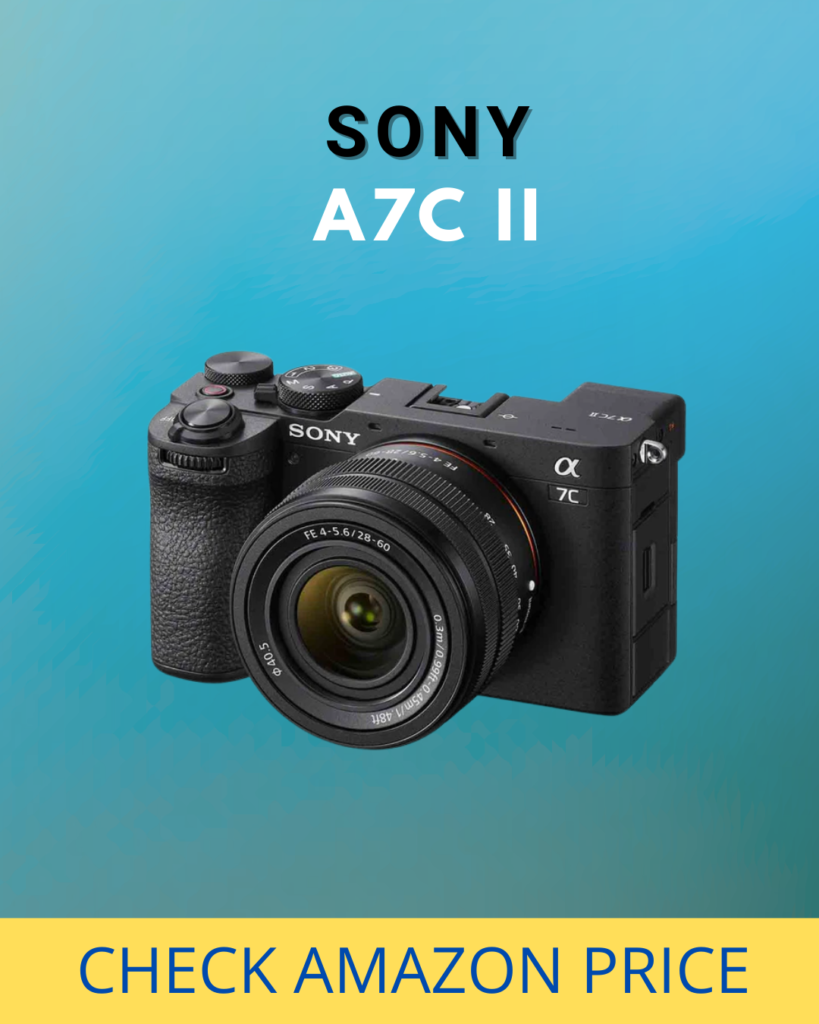
The downside? The viewfinder is small and low-resolution for a camera at this price. But if you’re mostly using the back screen to set up your shot (which you are when filming comedy), that barely matters.
Good for: Road comics who need professional quality in the smallest possible package. Also great for comics who want a camera that doubles as a serious photography tool for headshots and promo materials.
6. Sony FX2 (~$2,700 body only)
The FX2 is brand new in 2025 and sits right between the FX30 and the FX3 in Sony’s Cinema Line. Think of it as the “Goldilocks” cinema camera — not too basic, not too expensive, just right.
It uses the 33-megapixel sensor from the a7 IV, which means it delivers oversampled 7K-to-4K video that is noticeably sharper than cameras that just shoot native 4K. The AI autofocus is a step up from the FX30, and it has Dynamic Active Stabilization for smoother handheld footage.
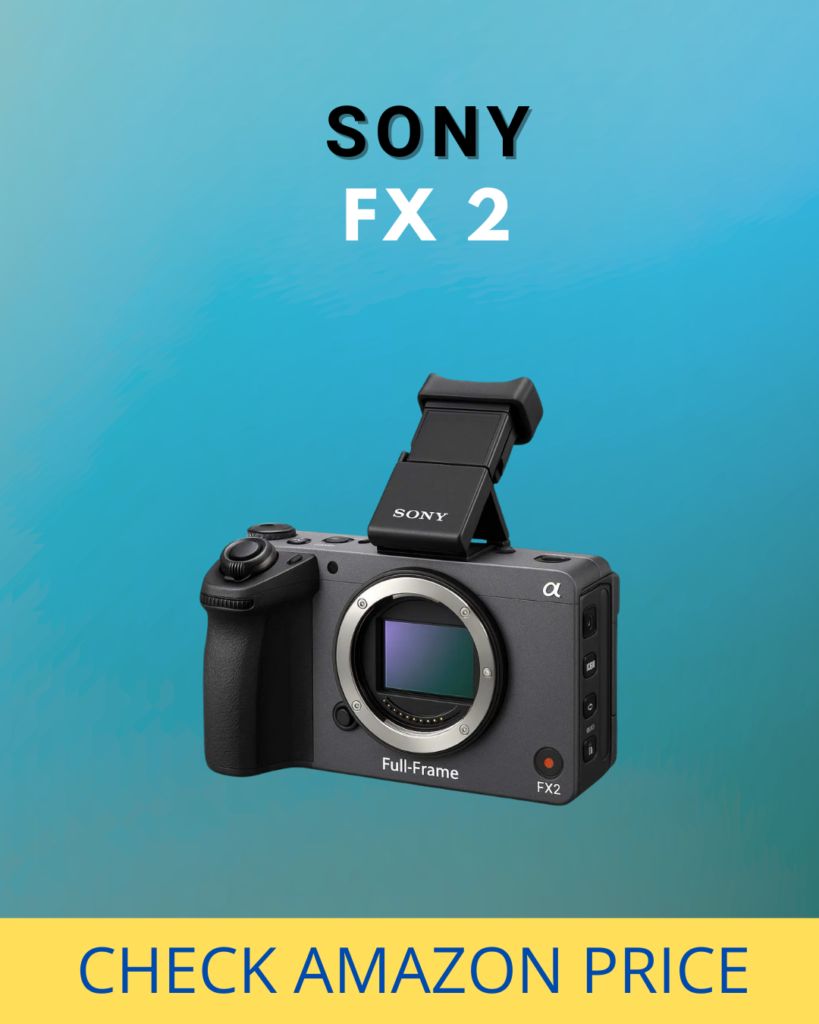
At $2,700 it’s not cheap, but if you’re at the point in your career where you’re self-producing sets for YouTube or filming a special, this camera gives you genuine cinema-quality footage in a compact body. Pair it with a 24-70mm f/2.8 and you’ve got a setup that would’ve cost $15,000 ten years ago.
Good for: Comics who are ready to invest in cinema-grade equipment but don’t want to jump straight to the $3,500+ tier. Excellent as a main camera for self-produced specials.
7. Canon EOS R6 Mark III (~$2,900 body only)
Canon came back swinging in 2025 with the R6 Mark III. This is a 35-megapixel full-frame camera that shoots internal 7K RAW video, 4K at 120fps, and has Canon’s legendary color science that makes skin tones look natural and warm straight out of the camera.
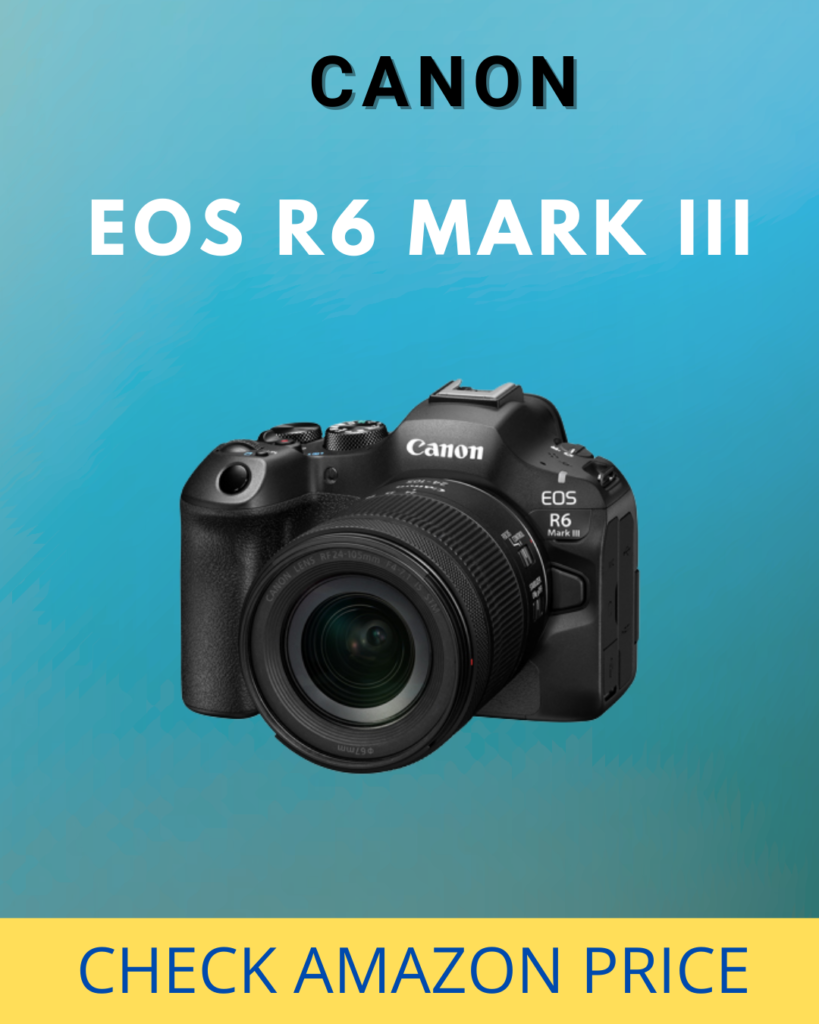
For comedy specifically, the improved thermal management means you can record long sets without the camera overheating (which was a legitimate complaint about earlier Canon bodies). The Dual Pixel CMOS AF II autofocus is fast and reliable, and it now supports open-gate recording for anamorphic lens users (probably not relevant to most comics, but hey, if you want that ultra-cinematic wide look, it’s there).
If you’re already a Canon shooter with Canon lenses, this is the obvious upgrade path.
Good for: Canon users upgrading from older bodies, and anyone who prioritizes beautiful color straight out of the camera without wanting to spend hours color grading. My previous top mid-range pick was the original R6 — this one is better in every way.
8. Sony a7 V (~$2,900 body only)
Sony’s a7 V arrived in late 2025 and it’s the direct successor to the a7 IV, which was my personal workhorse for years. The a7 V features a new 7K sensor readout that produces oversampled 4K video at up to 60fps — noticeably sharper and cleaner than the a7 IV.
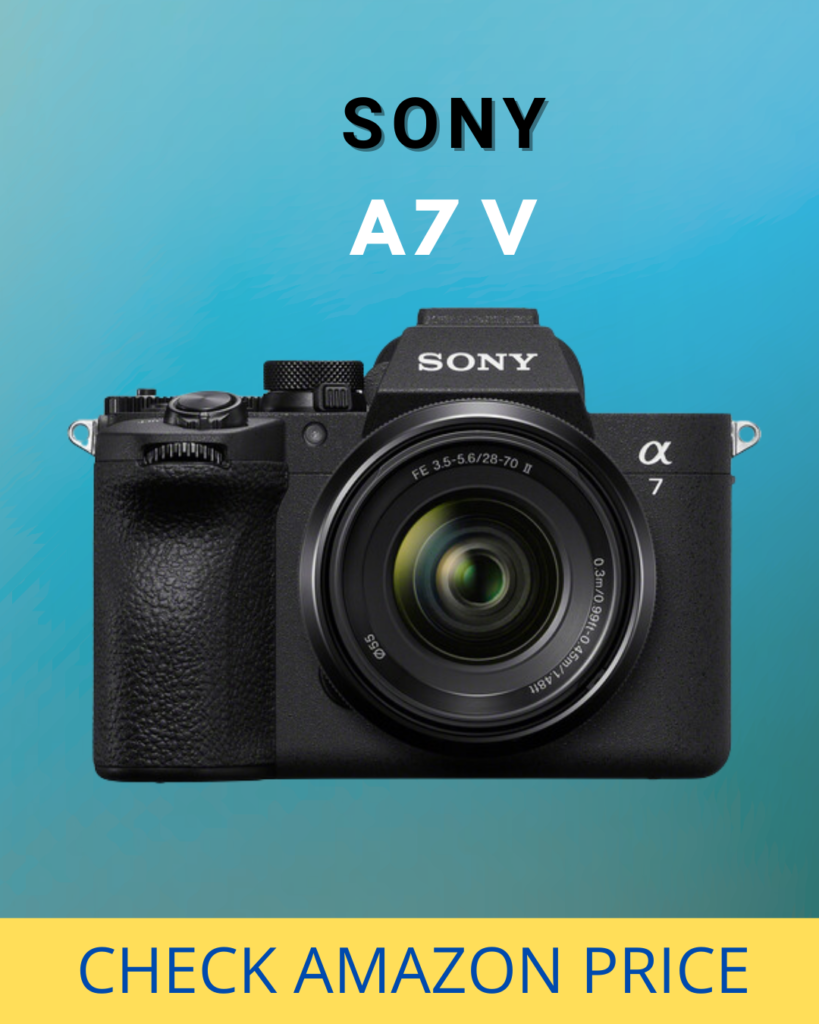
Sony’s AI autofocus is arguably the best in the business right now. It tracks faces, eyes, and even recognizes specific subjects. The low-light performance continues to be excellent, and the much-improved rolling shutter means fast camera pans look smooth instead of jello-like.
At $2,900 it’s the same price as the Canon R6 III, which makes this a genuine toss-up between the two. My advice? If you already have Sony lenses, get this. If you already have Canon lenses, get the R6 III. If you’re starting fresh, go to a store and hold both — whichever feels better in your hands is the one.
Good for: Sony shooters upgrading from the a7 III or a7 IV, and anyone who wants cutting-edge autofocus performance. The a7 IV is also now available used for around $1,300, which makes it one of the best value full-frame cameras on the used market.
Best Pro Cameras for Filming a Comedy Special ($3,000+)
You probably don’t need these for weekly clips. But when it’s time to film the real thing — your hour, your special, the set you’re going to release on YouTube or shop to platforms — these are the cameras that give you footage indistinguishable from a Netflix production.
9. Canon EOS R5 Mark II (~$3,900 body only)
Canon launched the R5 Mark II in July 2024 with a completely new 45-megapixel backside-illuminated stacked sensor. It shoots 8K RAW at 60fps. Read that again. 8K. At 60 frames per second. The oversampled 4K footage from this camera is absurdly detailed.
The original R5 had a notorious overheating problem that made long recordings risky. Canon fixed it. The Mark II has a redesigned thermal system and an optional active cooling accessory for extended shoots. You can record a full hour-long special without worrying about the camera shutting down on you.
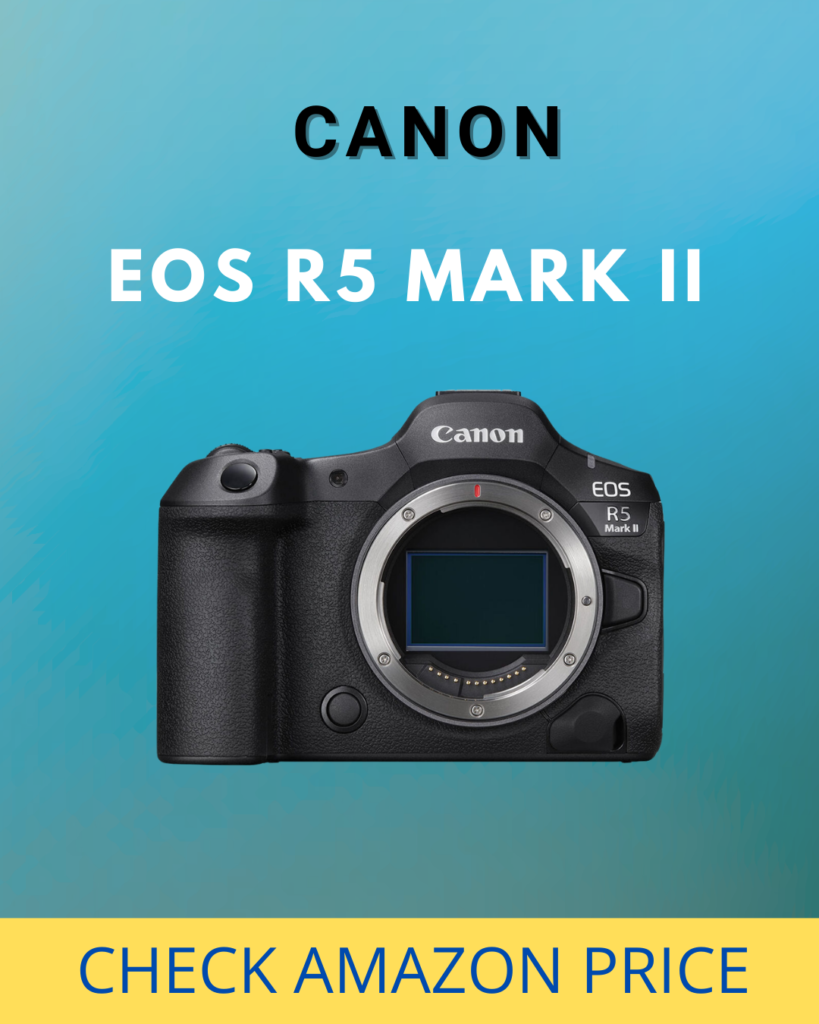
The autofocus includes features like Eye Control (the camera tracks where your eye is looking through the viewfinder and focuses there) and Action Priority that predicts subject movement. For a multi-camera comedy shoot where one camera is being operated live, this is incredible.
Good for: Filming your special. Seriously. If you’re at the point where you’re recording a 30-60 minute set with multiple cameras and you plan to release it to the world, this is the Canon to do it with.
10. Sony FX3 (~$3,500 body only)
The FX3 has been around since 2021 and Sony hasn’t replaced it yet because, frankly, it doesn’t need replacing. It remains one of the best compact cinema cameras ever made.
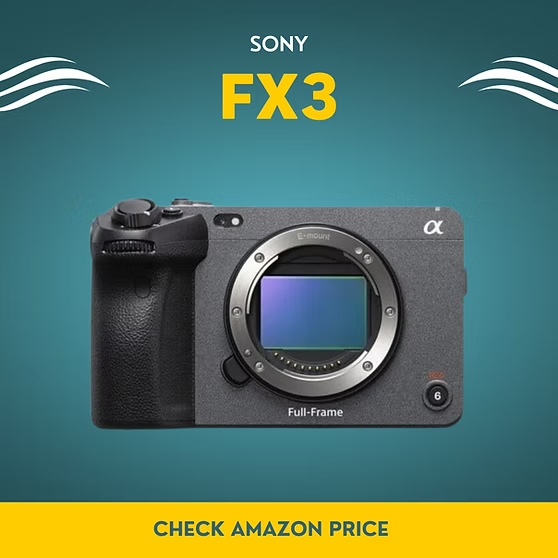
Full-frame sensor. S-Cinetone color science. No recording time limits. 4K at 120fps. 15+ stops of dynamic range. It’s the camera you see behind every indie filmmaker and YouTube content creator who takes their work seriously.
When I record my own special, I’ll probably use the FX3 as my main camera and my a7 IV as my audience/wide camera. That combination gives you cinema-quality footage on the main shot and reliable coverage on the secondary angles.
I would not suggest you buy this camera unless you’re on your second or third camera purchase — meaning you know what you’re doing. It’s a beast and you probably want to keep an eye on it while you’re setting up in bars and clubs. If it got knocked down, I’d cry.
Good for: Professional comedy filmmakers, comics self-producing specials, and anyone who needs a dedicated cinema camera that travels well.
11. Canon EOS C70 (~$3,500 body only)
The Canon C70 is a true cinema camera with a Super 35mm sensor, Dual Pixel CMOS Autofocus, and Cinema RAW Light recording. It’s built for professional video production from the ground up.
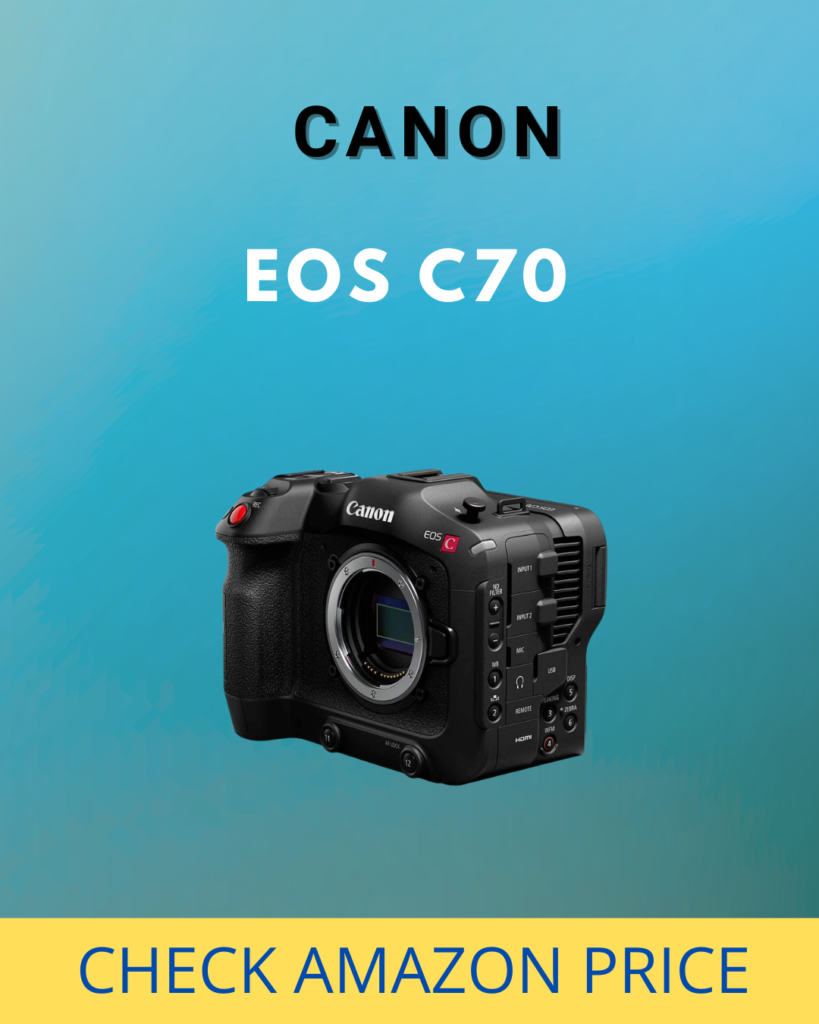
The low-light performance and dynamic range are outstanding — crucial for the contrast-heavy environments of comedy clubs where you’ve got a blinding spotlight and a dark room. It also has built-in ND filters, which might not seem important for comedy clubs but are a lifesaver if you’re also filming outdoor sets, rooftop shows, or festival stages.
This is probably overkill for most comedians. But if you run a comedy production company, film multiple comics’ specials, or are building a business around comedy content — this is a legitimate production tool.
Good for: Comedy production companies, venue owners filming regular shows, and filmmakers who specialize in live comedy content.
Honorable Mention: Nikon Zr (~$2,200 body only)
I’m squeezing this into the pro section not because of its price — at $2,200 it’s technically mid-range — but because of what it does. The Nikon Zr is the first camera to bring RED’s REDCode and Nikon’s N-RAW codec into a small, affordable body. If you want cinema-grade internal RAW recording at a price that would’ve been laughable two years ago, the Zr is a wild card worth looking at. It dropped in 2025 and filmmakers are still wrapping their heads around what Nikon pulled off at this price point.
The Master Comparison Table
Here’s every camera in this guide side by side. Bookmark this.
| Camera | Price (Body) | Sensor | Max Video | Low Light | Best For |
|---|---|---|---|---|---|
| Canon EOS R50 V | ~$680 | APS-C | 4K/30fps | Good | First camera for beginners |
| Sony a6700 | ~$1,400 | APS-C | 4K/120fps | Very Good | Best all-around APS-C |
| Sony FX30 | ~$1,500 | APS-C (S35) | 4K/120fps | Very Good | Budget cinema camera |
| Nikon Z5 II | ~$1,700 | Full Frame | 4K/60fps | Excellent | Best value full-frame |
| Sony a7C II | ~$2,200 | Full Frame | 4K/60fps | Excellent | Travel-friendly full-frame |
| Sony FX2 | ~$2,700 | Full Frame | 4K/120fps | Excellent | Mid-range cinema camera |
| Canon EOS R6 III | ~$2,900 | Full Frame | 4K/120fps, 7K RAW | Excellent | Best Canon all-rounder |
| Sony a7 V | ~$2,900 | Full Frame | 4K/60fps (7K readout) | Excellent | Best Sony all-rounder |
| Nikon Zr | ~$2,200 | Full Frame | 4K/120fps, N-RAW | Excellent | Affordable RAW cinema |
| Canon EOS R5 II | ~$3,900 | Full Frame | 8K/60fps | Outstanding | Filming your special |
| Sony FX3 | ~$3,500 | Full Frame | 4K/120fps | Outstanding | Dedicated cinema camera |
| Canon EOS C70 | ~$3,500 | Super 35mm | 4K/120fps, Cinema RAW | Outstanding | Production-level cinema |
Best Lenses for Filming Stand-Up Comedy
Here’s a truth that took me way too long to learn: the lens matters more than the camera body. A $1,400 camera with a great lens will produce better footage than a $3,500 camera with a cheap kit lens. Every time.
For stand-up comedy, you need lenses that are fast (meaning a wide aperture like f/2.8 or wider) so they can gather light in dark clubs, and you need the right focal lengths for different shot types.
Here’s what I recommend:
| Shot Type | Lens | Approx. Price | Why |
|---|---|---|---|
| Wide shot (whole stage) | Tamron 17-28mm f/2.8 (Sony) or Canon RF 15-35mm f/2.8L | $800–$2,300 | Captures the full stage plus some audience. Great for your fixed “safety” camera. |
| Medium shot (waist up) | Tamron 28-75mm f/2.8 (Sony) or Canon RF 24-70mm f/2.8L | $880–$2,400 | The workhorse. This is the lens that lives on your main camera. Versatile enough for most venues. |
| Close-up (tight on face) | Tamron 70-180mm f/2.8 (Sony) or Canon RF 70-200mm f/2.8L | $1,200–$2,800 | Gets you tight close-ups from the back of the room. This is the lens that makes your clips look like a Netflix special. |
| Budget all-rounder | Sigma 28-70mm f/2.8 (Sony/L-mount) or Tamron 28-75mm f/2.8 | $800–$880 | If you can only buy ONE lens, make it a fast standard zoom. Covers most situations. |
| Low-light prime | Sony 50mm f/1.8 or Canon RF 50mm f/1.8 STM | $200–$250 | The cheapest way to get incredible low-light performance. Fixed focal length means no zoom, but the image quality in dark rooms is unreal for the price. |
You will want a different lens for the close-up camera and the wide camera. If you’re running a single camera setup, the 28-75mm f/2.8 range is the sweet spot — wide enough to show the stage context, tight enough to see facial expressions.
For a deep dive on lenses, check out our full guide on the best lenses for stand-up comedy recording.
Audio: The Thing Nobody Tells You About
I saved this section for after the cameras because I know everyone wants to talk about cameras. But I need you to understand something:
Stand-up comedy is 90% audio, 10% video.
You can watch a stand-up clip that’s slightly out of focus and still laugh. You cannot watch a stand-up clip with bad audio and enjoy it. If the audience can’t hear the jokes clearly or can’t hear the room laughing, the clip is dead. Period.
Here’s the audio setup that actually works for filming comedy:
Step 1: Get the Board Feed
The comedian is speaking into a microphone that goes into a mixer/soundboard. That soundboard has an output. You need to get a cable from that output into your recording device. This gives you the comedian’s voice, clean and clear, without any room noise.
How to do it: Ask the sound person (if the venue has one) for an XLR output from the board. Run it into a portable recorder like a Zoom H5 or Tascam DR-40X (both around $200-280). These recorders give you professional audio quality and are small enough to sit next to your camera bag.
If the venue doesn’t have a soundboard (hello, bar back room with a single speaker), clip a Rode Wireless GO II lavalier mic (~$300) onto the comedian or place it near the speaker. It’s not as clean as a board feed but it’s 100x better than your camera’s built-in mic.
Step 2: Capture the Audience Reaction
This is the part most people forget. The board feed gives you the comic’s voice — but comedy without audible laughter is just a person talking. You need a separate microphone pointed at the audience to capture their reactions.
A Rode VideoMic Pro+ (~$250) mounted on your camera or a small stand pointed toward the audience works well. If you want to go cheaper, a Rode VideoMicro II (~$80) does a decent job. The key is positioning it so it picks up laughs and reactions without picking up individual conversations.
Step 3: Mix in Post
In your editing software (more on that below), you’ll layer the board feed audio (comedian’s voice) with the audience reaction audio. Adjust the levels so the comedian is clear and the audience laughter feels natural and present. This is exactly how Netflix specials sound — it’s never just one microphone picking up everything. It’s always layered.
The difference between a one-mic-on-the-camera recording and a properly mixed board-feed-plus-audience recording is the difference between “this looks like an amateur open mic video” and “this looks like it could be on a streaming platform.”
Multi-Camera Setups: From Open Mic Clips to Your Special
You don’t need three cameras to post a clip on Instagram. But understanding multi-camera setups will help you plan for the future and understand why your footage looks different from the professional specials you see on YouTube.
Single Camera (Weekly Clips and Social Media)
For 90% of your filming, one camera is enough. Set it up on a tripod at the back of the room or on a table near the middle, frame a medium shot (waist up with some stage context), and let it roll. This gives you footage you can crop into vertical for Instagram/TikTok or keep horizontal for YouTube.
Use a 28-75mm f/2.8 or similar lens. Focus on the comedian’s face with autofocus enabled. Done.
Two Cameras (Showcase Sets and EPK Material)
When you’re filming a set you plan to use for your Electronic Press Kit or a longer YouTube clip, a second camera makes a massive difference. Here’s the setup:
Camera A (wide shot): Tripod at the back of the room, wider lens (17-35mm range), framed to show the full stage and some audience. This is your “safety” shot — it runs the entire set without anyone touching it.
Camera B (close-up): Tripod closer to the stage or off to one side, longer lens (70-200mm range), framed tight on the comedian’s face and upper body. This is the shot that makes your edit look professional.
In editing, you cut between the two angles. Wide shot for the setup of a joke, cut to the close-up for the punchline and reaction. This is exactly what Dry Bar Comedy does and it’s a huge part of why their videos look so polished.
Three+ Cameras (Your Special)
When you’re filming the big one, you want at minimum three cameras:
Camera A: Wide shot, center back of the room. Fixed. Never touched.
Camera B: Medium/close-up, slightly off-center, operated or on a very precise tripod. Your main shot.
Camera C: Audience and reaction shots. This can be a smaller camera positioned to capture the crowd laughing. This footage is gold in editing — cutting to audience reactions between jokes is what makes a special feel alive.
For your special, use cameras from the same brand if possible. Matching color science between a Canon and a Sony in post-production is possible but annoying. Two Sonys (say, an FX3 as your main and an a7C II for the wide) will look consistent with minimal effort.
Editing in 2026: CapCut, DaVinci Resolve, and What You Actually Need
The original version of this post mentioned Adobe Premiere. Let me be real: most comedians do not need Adobe Premiere. It’s $23 a month, the learning curve is steep, and there are free tools now that do 90% of what Premiere does for the kind of editing comedians actually need.
CapCut (Free — Best for Social Media Clips)
If all you’re doing is cutting your best 60 seconds from a set, adding captions, and posting it — CapCut is all you need. It’s free, it’s available on your phone AND desktop, and the auto-caption feature is genuinely good (about 90% accurate — spend 5 minutes fixing the errors).
CapCut is how most comedians I know are editing their Instagram Reels and TikToks right now. Don’t overcomplicate it.
DaVinci Resolve (Free Version — Best for Serious Editing)
When you need to edit a multi-camera set, sync separate audio tracks, or do any color grading, DaVinci Resolve is the answer. The free version is absurdly powerful — professional colorists use the paid version on actual Hollywood films, and the free version gives you 95% of those tools.
The learning curve is steeper than CapCut, but there are hundreds of YouTube tutorials specifically for beginners. If you’re going to invest a weekend learning one editing tool, make it Resolve. It’ll serve you from your first YouTube clip all the way through editing your own special.
Final Cut Pro ($300 one-time — Mac Only)
If you’re on a Mac and you want something between CapCut and Resolve in terms of complexity, Final Cut Pro is excellent. One-time purchase, no subscription, fast performance, and great for multi-cam editing. Apple also offers a free trial.
Adobe Premiere Pro ($23/month — The Industry Standard)
If you’re already paying for Adobe Creative Cloud or you’re doing this professionally, Premiere is still the industry standard. But for a comedian who edits a few clips a week? It’s overkill. Save your money. When you get into sketches or longer form behind the scenes, it’s worth learning.
Camera Settings Cheat Sheet for Comedy Clubs
I wish someone had given me this when I started. Here are the settings that work in 90% of comedy club environments. Screenshot this, save it to your phone, pull it up when you’re setting up before a show.
| Setting | Recommended Value | Why |
|---|---|---|
| Resolution | 4K (3840 x 2160) | Gives you room to crop to vertical without losing quality |
| Frame Rate | 24fps for cinematic look, 30fps for social media, 60fps if you want slow-motion option | 24fps looks “filmic.” 30fps looks clean for Instagram. 60fps lets you slow down the big laugh moments |
| Shutter Speed | Double your frame rate (1/50 for 24fps, 1/60 for 30fps) | This is the “180-degree rule” — it gives natural motion blur. Don’t go higher or movement looks jittery |
| Aperture | f/2.8 or wider (f/1.8, f/1.4 on a prime lens) | Lets in as much light as possible. In a dark club you need every photon you can get |
| ISO | Start at 3200, adjust up to 6400 if needed. Avoid going above 12800 | Higher ISO = more light but more grain. Modern cameras handle 3200-6400 beautifully. Above 12800 gets noisy |
| Autofocus | Face/Eye Detection AF, continuous tracking mode | Let the camera’s AI track the comedian’s face. Don’t try to manual focus in a dark room |
| White Balance | Set manually to match the venue lights (usually around 3200K-4000K for warm stage lighting), or shoot in Auto and fix in post | Comedy clubs have weird lighting. Auto WB often gets confused by colored stage lights |
| Color Profile | Standard/Natural for social media (ready to post). S-Log3 or C-Log if you plan to color grade in Resolve | Log profiles look flat and gray straight out of camera but give you more flexibility in editing. Only use Log if you know you’ll be color grading |
| Audio | External mic input, levels set to avoid clipping on big laughs | Do a test recording during sound check and watch the audio meters. If they’re hitting red on loud laughs, turn the gain down |
Pro tip: If the comedian is lit by a bright spotlight and the rest of the stage is dark, you need to expose for the comedian’s face, not the room. Use spot metering or exposure lock on the comedian’s face. Otherwise your camera will try to brighten the whole dark room and the comedian’s face will be a blown-out white blob. This is the number one mistake I see in comedy club footage.
Conclusion
If you’ve read this far, you now know more about filming stand-up comedy than 99% of comedians out there. And that’s the point — this knowledge is a competitive advantage.
The barriers to looking professional have never been lower. A $680 Canon R50 V with a $200 fifty-millimeter lens and a $80 Rode VideoMicro II will produce footage that looks better than what most comics were getting from a $5,000 setup ten years ago.
You don’t need the most expensive camera on this list. You need a camera, a decent lens, a microphone, and the discipline to record every set, review the footage, pull the best clip, and post it.
It’s never been easier in history and cheaper to get Netflix or Amazon level quality and record a special yourself, and in many cases surpass their viewership numbers with zero publicity by using YouTube.
Comics like Mark Normand, Shane Gillis, and many more have done this exact thing.
What’s stopping you?
Your Next Steps
If you have $0: Prop your phone on a stool, hit record, review the footage, find the best 60 seconds, and post it with captions in CapCut. Do this for your next 5 sets. You’ll have a month of content.
If you have $500-$1,500: Buy one of the budget cameras above, a 50mm f/1.8 prime lens, and a cheap lavalier mic. Start recording every set with real equipment. The quality jump will shock you.
If you have $1,500-$3,000: Get a mid-range full-frame body, a fast standard zoom lens, and a Zoom H5 recorder for proper audio. You now have a setup capable of producing EPK-quality footage and YouTube-ready clips.
If you’re filming a special: Rent what you can’t afford. Most camera rental shops in major cities will rent a Sony FX3 or Canon R5 II for $150-$300 per day. Combine one rented pro body with your personal camera and you have a two-camera special setup for under $500 in rental costs.
For more on building your comedy career beyond just filming, read our complete guide on how to grow your stand-up comedy career.
Frequently Asked Questions
Can I film a comedy special on my phone?
Technically, yes. Should you? No. A comedy special is your calling card — it represents months or years of writing and performing. You wouldn’t show up to film your special in sweatpants. Don’t film it on a phone. At minimum, rent a proper camera for the night. A one-day rental of a Sony FX3 or Canon R5 II is $150-$300 at most rental houses. That’s probably less than what you spent on tickets to the last show you promoted.
What’s the single cheapest setup worth buying?
A Canon EOS R50 V body (~$680) plus a Canon RF 50mm f/1.8 STM lens (~$200) plus a Rode VideoMicro II microphone (~$80). Total: under $1,000. That setup in a dark comedy club will produce footage that looks dramatically better than any phone. The 50mm prime on APS-C gives you an 80mm equivalent field of view — tight enough to see facial expressions from a reasonable distance.
Do I really need 4K? Can’t I just shoot 1080p?
You can shoot 1080p, but I wouldn’t recommend it in 2026. Here’s why: when you shoot in 4K, you can crop into vertical for Instagram Reels and TikTok and still have full 1080p resolution on the crop. If you shoot in 1080p and crop, you’re left with maybe 720p or worse. 4K also gives you the flexibility to punch in on the comedian’s face in editing without losing sharpness. It’s essentially a digital zoom that doesn’t cost you quality. Every camera on this list shoots 4K.
How do I handle the spotlight washing out the comedian’s face?
This is the most common technical problem in comedy club footage. The spotlight is extremely bright and the rest of the room is extremely dark, so the camera doesn’t know what to expose for. The fix: switch to spot metering mode (every camera on this list has it) and meter for the comedian’s face. The background will go dark, but that’s fine — the audience doesn’t need to see the walls. You want the comedian properly exposed. If the face still looks too bright, use exposure compensation to dial it down by -0.5 to -1.0 stops. You can also fix a lot of this in editing if you shoot in a log profile, which captures more highlight detail.
Should I shoot vertical or horizontal?
Shoot horizontal. Always. You can crop horizontal footage into vertical in editing (especially if you shot in 4K), but you cannot turn vertical footage into a usable horizontal video. Horizontal gives you both options. The only exception is if you’re using a second phone specifically for a vertical Instagram Story or TikTok — then sure, shoot vertical on that device. But your main camera should always be horizontal.
What’s more important — the camera or the lens?
The lens. A sharp f/2.8 or f/1.8 lens on a budget camera body will produce better footage in a comedy club than a top-tier camera body with a slow kit lens. If you have a limited budget, spend more on the lens and less on the body. Bodies get replaced every 2-3 years. A good lens lasts a decade or more.
I’m a Canon shooter. Should I switch to Sony?
No. And vice versa. The differences between Canon and Sony in 2026 are marginal for comedy filming. Both have excellent autofocus, great low-light performance, and professional video quality. The ecosystem you’re already invested in (lenses, accessories, muscle memory) is worth more than any spec-sheet advantage. Stick with what you know. If you’re starting from scratch with no lenses, go to a store and hold cameras from both brands — buy whichever feels right in your hands. You won’t regret either choice.
What about Panasonic or Fujifilm cameras?
Both make excellent cameras. The Panasonic S5 II and Fujifilm X-T5 are strong options. I focused this guide on Canon, Sony, and Nikon because those three brands dominate the market for video-focused mirrorless cameras and have the widest lens ecosystems. But if you already own Panasonic or Fuji lenses, their current bodies are very capable for comedy filming. Panasonic in particular has historically been excellent for video.
This post was originally published on ComedyMemphis.com and has been completely updated for 2026 with the latest cameras, audio gear, and editing tools. If you found this helpful, share it with a comic in your scene who’s still filming on their phone. And if you want more guides like this on growing your career, promoting your shows, and building your comedy brand check out our full blog.